Videos are not uploaded
Import, transcription, editing, and export stay local. Video files never enter ClipSpark’s cloud.
ClipSpark is a Windows desktop app: import, transcription, AI highlights, subtitles, and export all run on your PC. Videos are not uploaded. Your account is Google sign-in only.
Windows desktop only for now. macOS and mobile are not available yet.
By downloading or using the product, you agree to the Terms of Service and Privacy Policy. Use only videos you own or are licensed to process. 下载或使用产品即表示你同意 服务条款 与 隐私政策。请只处理你拥有或已获授权的视频。
Most competitors upload your footage. ClipSpark runs on your machine: we never see your frames, and we do not train models on your content.
Import, transcription, editing, and export stay local. Video files never enter ClipSpark’s cloud.
No contacts, location, IDs, or other disk files. No ad profiles. We do not sell personal information.
Google is used only to verify identity and attach a subscription. No Drive, Gmail, YouTube, or other Google data.
ClipSpark is a local creation tool for footage you have the right to use. It is not a service for clipping other people’s copyrighted videos.
Windows desktop: review AI clips, preview, and the transcript, then export 9:16, 16:9, or 1:1 with optional burned-in subtitles.
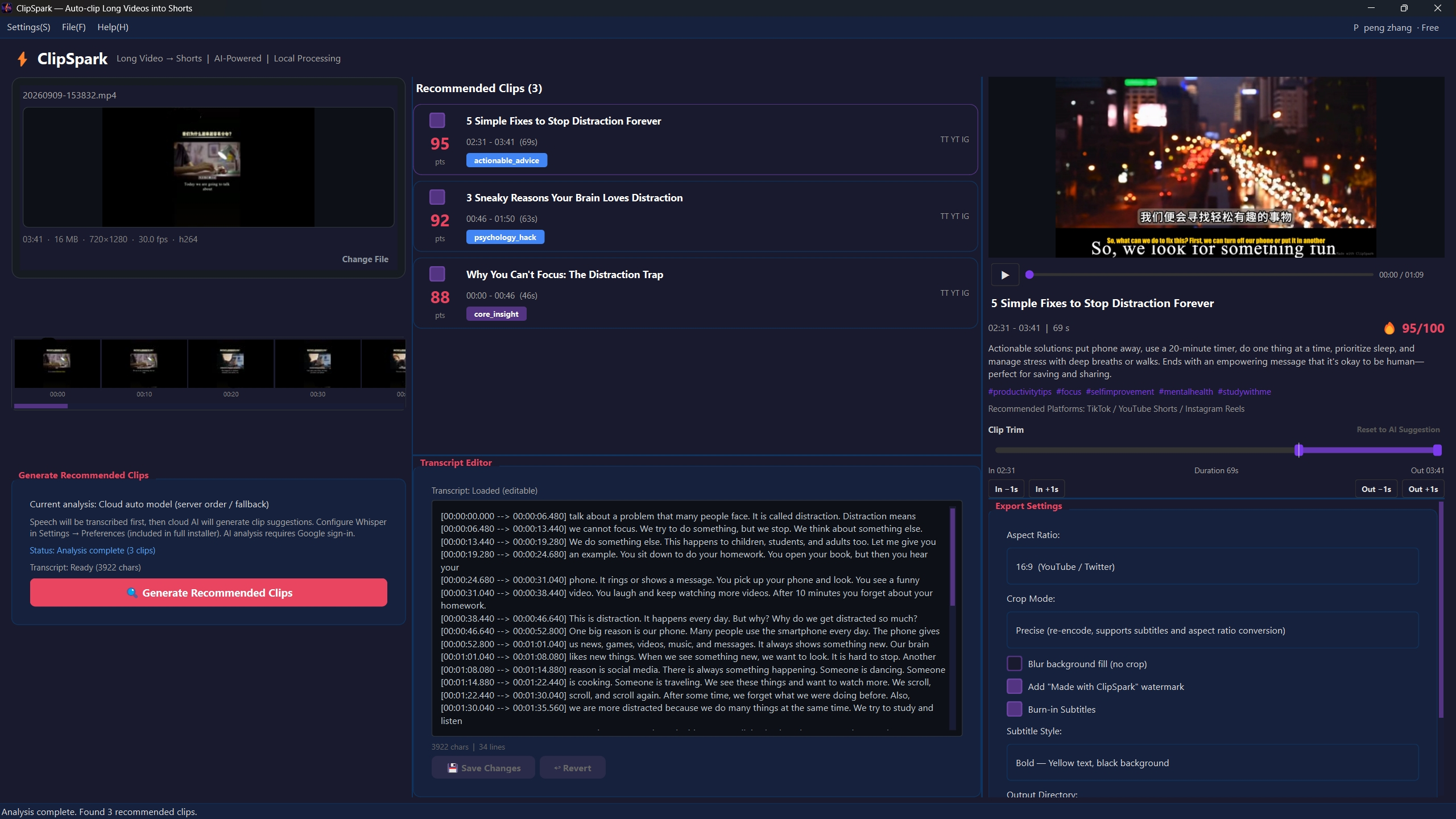
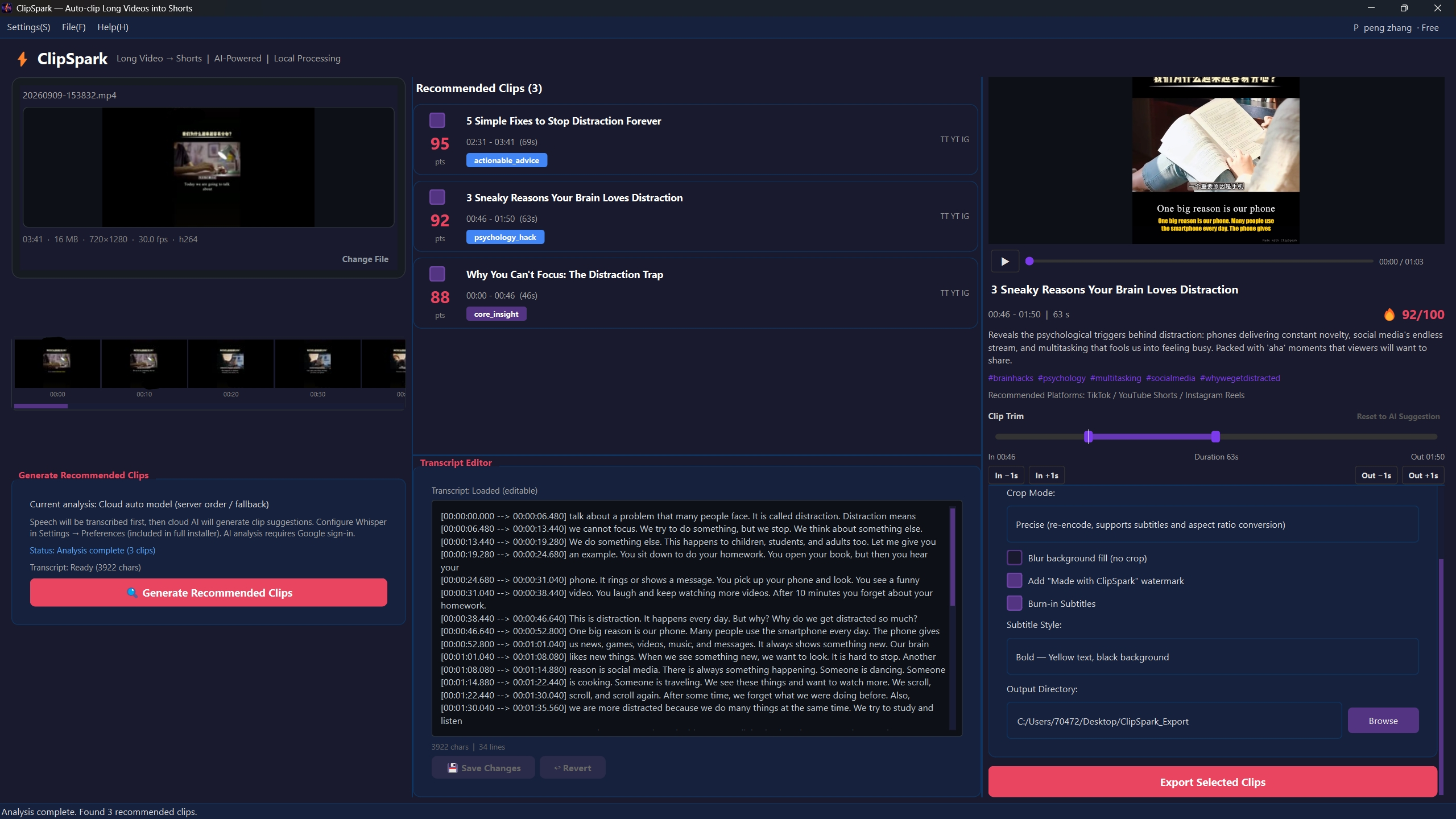
These screenshots show only part of the app. Download the Windows client to see more ratios, subtitle styles, and export options. 以上仅为部分界面。请下载 Windows 客户端查看更多比例、字幕样式与导出功能。